
Betmgm Contact & Live Chat
How to reach BetMGM support in the UK: open Live Chat, use the Help Centre, sort out withdrawal and bonus questions and know what to send.
Last verified by Marcus Bell on 2026-03-13 | UKGC 39198
BetMGM live chat and support in the UK
To reach BetMGM support in the UK, open the Support page on the official BetMGM site and choose Live Chat, or read the Help Centre first for a written answer. Log in if you can, describe the problem in one clear message with the date and the £ amount, and keep a note of the reply.
If you play at BetMGM in the UK and something needs sorting out, the Support page on the main site is where you start. It lists two things: Live Chat and the Help Centre. Live Chat is the quickest way to put a question to a person about your account, a deposit, a withdrawal or a bonus. The Help Centre holds written guides on the same topics, so a quick read there can save you the wait. This page walks through both, step by step, and covers what to do when a chat does not give you an answer.
Support channels
Live Chat and Help Centre
Operator
LeoVegas Gaming PLC
UKGC account number
39198
Licence type
Remote, active
Currency
£ (pounds sterling)
Minimum withdrawal
£10
BetMGM is a brand operated by LeoVegas Gaming PLC, which holds a UK Gambling Commission remote licence covering casino, bingo and general betting. That matters for support because it tells you who is responsible for your account and whose name sits in the regulator's public register. Your bank statement may show either BetMGM or LeoVegas next to a payment, so do not be alarmed if the second name appears.
| Studio | Popular games |
|---|---|
| Pragmatic Play | The Bingo Spot, Gameshow Party Jackpot Play, 3 Magic Eggs |
| Evolution | Red Baron Live, Red Baron RNG, American Roulette by Evolution |
| Games Global | 12 Masks of Fire Drum Frenzy, 1st Class Express Big Train Bonus, 3 Lucky Rainbows Action Boost SpinUp |
| Blueprint Gaming | 777 Deluxe JK, 7s Deluxe Jackpot King, Bankin Bacon JK |
| Play'n GO | Book of Dead, Captain Xeno's Earth Adventure, Cat Wilde and the Lost Chapter |
| Inspired | King Kong Crash Climber, Roulette Hybrid Dealer, Big Big Fishing Fortune |
| Playtech | 4 Cash Planes: Multiplayer, Busted or Bailed, Cash It |
| Octoplay | Flame & Fortune Jackpot Mountain, 15 Hammers: Hold & Win, 3 Blazing Buffalos: Hold and Win |
| Hacksaw | Moneyplane Bail2Win, Speed Crash, Blocks |
| Eyecon | Fluffy Favorites Clawmania, Bouncy Bingo Balls JP, Champions of Poseidon JP |
Step by step: how to open BetMGM live chat
Here is the route most players follow. Menus on any site can change over time, so treat the wording of each step as a guide to what you are looking for rather than an exact button label. The whole process takes a couple of minutes once you know where to look, and the preparation in the first steps makes the conversation itself much shorter.
-
1
Log in if you can
Sign in to your BetMGM account first so the agent can see who they are talking to. If you cannot get in, the login guide covers the usual causes.
-
2
Open the Support page
Go to the Support page on the official BetMGM site. It lists Live Chat and the Help Centre side by side, so you can pick either one.
-
3
Check the Help Centre
Search the Help Centre for your topic before you write. Many answers, such as how withdrawals work, are set out in full and take a minute to read.
-
4
Start Live Chat
Choose Live Chat and send your first message. Wait for the agent to reply rather than sending the same message again.
-
5
Describe the issue
Write what you tried, what happened, the amount in £ and the date. Name the payment method or the offer if it is involved.
-
6
Keep a record
Before you close the window, note what the agent said, including any reference they give you. It helps if you need to write back later.
Screenshots of the Support page, the Live Chat window and the Help Centre search, so you can spot each step on your own screen.
What to do if live chat does not work
Sometimes the chat window simply does not open, or it opens and nobody answers for a while. Before you assume something is wrong with your account, run through the basics below. Most of these problems come from the browser or the connection rather than from BetMGM, and each fix takes less than a minute.
- 1.Refresh the page, or close it and open the Support page again from the main menu.
- 2.Try a different browser, or open a private window with no extensions running.
- 3.Turn off any ad or script blocker for the site, as these can stop a chat window from loading.
- 4.Switch between Wi-Fi and mobile data, or try the BetMGM app instead of the desktop site.
- 5.Search the Help Centre for a written answer to the same question.
- 6.Contact support in writing, using the email given in the Help Centre articles, and say clearly what you need.
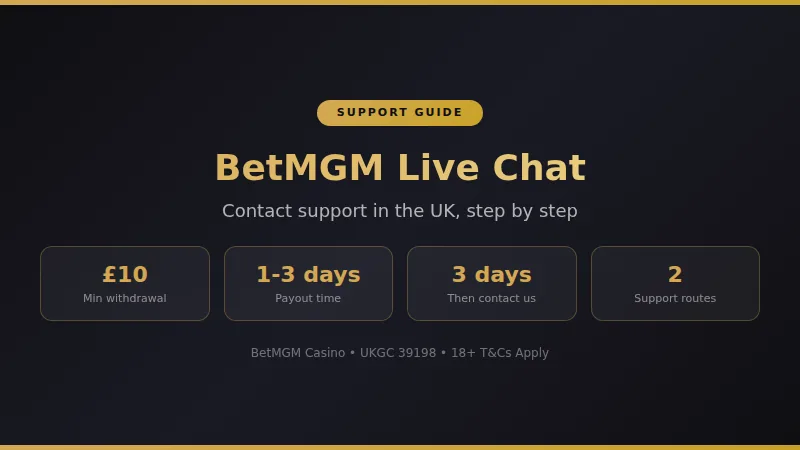
If your question is about a withdrawal, the Help Centre gives a clear rule: once a request is approved, funds typically arrive within 1-3 business days. If nothing has arrived after 3 working days, contact support. If an issue is still open after you have written in, ask for it to be escalated and keep copies of your messages. You can also check who holds your licence in the UK Gambling Commission public register, under account number 39198.
Common problems and where to start
Withdrawal has not arrived
Approved withdrawals typically take 1-3 business days. If nothing has arrived after 3 working days, contact support. A withdrawal cannot be cancelled once you have requested it.
Free spins not showing
The 200 spins on Big Bass Splash are credited only after you wager £10 on eligible games. They appear the next time you open the game. See the 200 free spins guide.
Deposit declined
Use a payment method registered in your own name and check the £10 minimum. The deposit declined guide lists the usual causes before you write in.
Wagering question
Slots, instants and Slingo count 100% towards the welcome wager, while live casino and table games count 0%. Details are on the wagering requirements page.
Closing or pausing
Closing an account or taking a break is a request support can handle. Read how to close your account first so you know what to ask for.
Cannot log in
Check the login guide for password and sign-in tips first. If you are still locked out, tell support which step fails and what message you see.
Most of these are quick to settle once you know the rule behind them. The welcome offer is a good example. You deposit £10, wager £10 on slots, and the 200 spins at 10p each arrive afterwards, valid for 3 days, with no wagering on the winnings. Players who expect the spins straight after the deposit often write to support, and the answer is simply that the wager comes first.
The same applies to payments. A decline is very often down to a name mismatch, a limit or a bank block rather than a fault on the site. Checking these points first means you arrive at the chat window with a precise question, and agents can usually answer a precise question in one or two messages.
How the support routes compare
Live Chat
- Best for
- Account questions
- Style
- Short replies
Help Centre
- Best for
- How-to guides
- Style
- Full articles
- Best for
- Longer cases
- Style
- Written record
Safer Gambling page
- Best for
- Limits and tools
- Style
- Self-service
Pick Live Chat when you need a person to look at your own account, the Help Centre when you want the rules explained, and email when the case needs several details or documents. The Safer Gambling page is the place for limits and breaks, and you can read it without contacting anyone.
In practice many players combine routes. Read the relevant Help Centre article, open Live Chat with a specific question, and write by email only if the matter is still open afterwards. This keeps each message short and gives the agent less to untangle.
Money questions support hears most
Most contacts are about deposits and withdrawals, so it helps to know the numbers before you write. The table shows the limits listed in the BetMGM Help Centre for the four methods named there. More on cashier options is in the payments guide.
| Method | Min | Max deposit | Max withdrawal |
|---|---|---|---|
| Debit card | £10 | £3,000 | £8,000 |
| Bank transfer | £10 | £10,000 | £35,000 |
| PayPal | £10 | £10,000 | £4,000 |
| Apple Pay | £10 | £3,000 | £8,000 |
Swipe to see the full table
The minimum is £10 for deposits and withdrawals on all four methods. Payment methods must be registered in your own name, and withdrawals go back to the method you used to deposit. BetMGM does not charge withdrawal fees, though your bank or payment provider might.
Verification and the method you choose can change how long a payout takes. If a question is about timing, say which method you used and when you made the request. That is the first thing an agent will ask, so having it in your opening message saves a round of questions.
Staying safe when you contact support
- Use only the Support page and Help Centre on the official BetMGM site, reached by typing the address yourself.
- Never share your password or full card details in a chat message.
- Be wary of anyone who offers to recover money or speed up a payout for a fee.
- Use the Safer Gambling page for deposit limits, loss limits and other tools.
- Remember that gambling under the age of 18 is an offence.
If gambling stops being fun, support can point you to the safer gambling tools, and free UK services such as GAMSTOP, BeGambleAware and GamCare are there to help. Slot stakes in the UK are capped at £5 for players aged 25 and over and £2 for ages 18-24, which is a rule for every operator, not a setting you can ask support to change. Play for fun, set limits you are comfortable with, and read the terms if you are unsure how an offer works.
Ready to Claim Your 200 Free Spins?
Play £10 on any game, get 200 free spins on Big Bass Splash. Winnings paid as cash. No promo code needed.
18+ New customers only. Opt in required. Deposit and wager £10 within 7 days. Spins expire after 3 days. T&Cs apply. BeGambleAware.org
BetMGM contact questions
How do I open BetMGM live chat?
Go to the Support page on the official BetMGM site, where Live Chat is listed next to the Help Centre, and choose Live Chat. Logging in first helps the agent see your account. Start with one clear message that names the problem, the date and any £ amount, then wait for the reply.
What if the chat window will not open?
Refresh the page, try another browser, and switch off any ad or script blocker. You can also try the BetMGM app or the mobile site, or switch between Wi-Fi and mobile data. If it still fails, read the relevant Help Centre article or write to support and try the chat again a little later.
Can I email BetMGM support?
Yes. The Help Centre articles give an email contact for support, so you can write when a case needs several details. Include your username, the date, the amount in £ and the payment method. A complete first email saves the back-and-forth that slows most written cases.
How long does a BetMGM withdrawal take?
Once your withdrawal request is approved, funds typically arrive within 1-3 business days. Verification and your payment method can change the timing. If nothing has arrived after 3 working days, contact support. Withdrawals cannot be cancelled once requested, and BetMGM itself charges no withdrawal fee.
Why have my 200 free spins not appeared?
The welcome offer credits the 200 Big Bass Splash spins only after you wager £10 on eligible games. Slots, instants and Slingo count 100%, while live casino and table games count 0%. The spins appear the next time you open the game and expire 3 days after they are credited.
Who runs BetMGM in the UK, and is it licensed?
BetMGM is operated by LeoVegas Gaming PLC, which is licensed and regulated in Great Britain by the Gambling Commission under account number 39198. The register shows its remote licence as active for casino, bingo and betting.
What should I put in my first message to support?
Say what you were trying to do, what happened instead, the date, the amount in £ and the payment method or offer involved. Add your username if you are not logged in. A complete first message usually means fewer follow-up questions and a faster answer.